Active
This is your care plan information
Stats
How does this work?
Top pages (last 30 days)
You have
on site now
People on site
(last 30 days)
Page views
(last 30 days)
SSL status
Disk usage
Bandwidth used
(last 30 days)
Active plugins
21
Emails sent via site
(last 30 days)
Feedback
Leave feedback
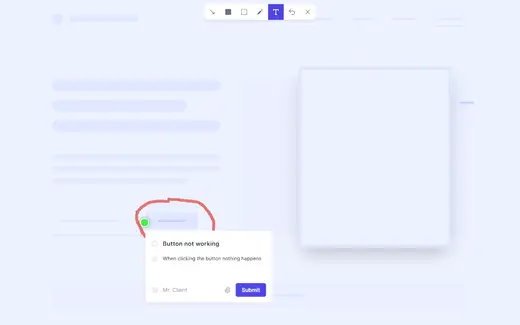
1) Open the review link
Use the private feedback link we send you (also linked above) which opens your site in “feedback mode”.
You can then navigate around the site as normal, go to the page you want to comment on, and start leaving notes.
2) Leave a comment
Click the “+ / Comment / Leave feedback” button in the corner, then click directly on the part of the page you mean. Add one clear request per comment; include the new wording, where it sits on the page, and whether it’s Must / Should / Nice to have.
You can draw on the screen to make it obvious what you’re pointing at, and Feedbucket captures useful context automatically like the page URL, browser, device, and OS.
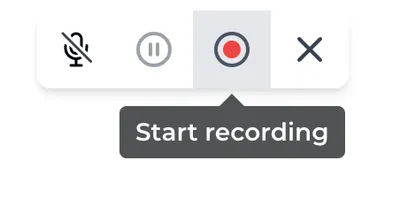
3) Record a quick video (optional)
For anything that’s hard to explain in a screenshot, use the video option in the toolbar.
Hit record, talk us through what you’re seeing, then stop and submit, it’ll attach to your feedback.
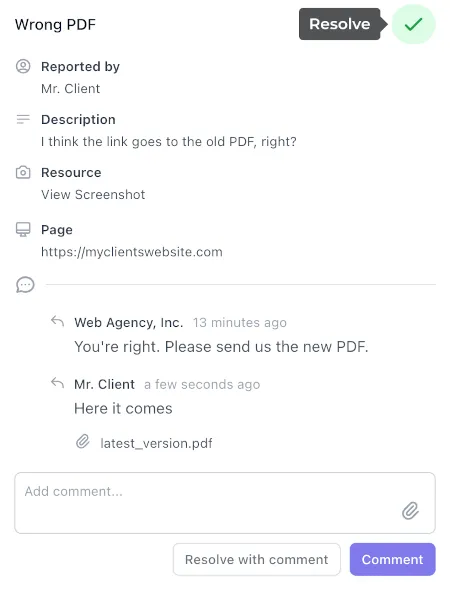
4) Reply and resolve
Use “View all feedback” in the widget to find existing comments, add a reply, or confirm something’s fixed. Once it’s done, it’ll be marked as resolved so the list stays tidy.
Tasks
Open ClickUp board
Plugins (21)
ActiveCampaign Postmark (Official)
Active
Version 1.19.1
Admin Columns Pro
Active
Version 7.0.19
Admin Menu Editor Pro
Active
Version 2.33.4
Advanced Custom Fields PRO
Active
Version 6.8.0.1
Complianz Privacy Suite (GDPR/CCPA) premium
Active
Version 7.5.7.3
Fathom Analytics for WP
Active
Version 3.3.1
Feedbucket
Active
Version 1.0.10
GP Easy Passthrough
Active
Version 1.10.2
Gravity Forms
Active
Version 2.10.3
Gravity Forms Cache Buster
Active
Version 0.6.9
Gravity Forms MailerLite Add-On
Active
Version 1.1.0
Gravity Forms Zero Spam
Active
Version 1.8.0
HappyFiles Pro
Active
Version 1.9.1
Patchstack Security
Active
Version 2.3.6
Perfmatters
Active
Version 2.6.4
SEOPress
Active
Version 9.9.2
SEOPress PRO
Active
Version 9.9.2
ShortPixel Image Optimizer
Active
Version 6.5.1
Simple Custom Post Order
Active
Version 2.7.2
Site Kit by Google
Active
Version 1.180.0
Spellbook
Active
Version 3.0.26